
College Connect
Preparing your experience...
Preparing your experience...

Need help? 👋
We're here to help you
Looking for the right college, course or admission guidance? Choose an option below.
Many colleges use Learning Management Systems to organise academic activities online. Learn how to access course materials, submit assignments, track deadlines and use LMS features effectively.
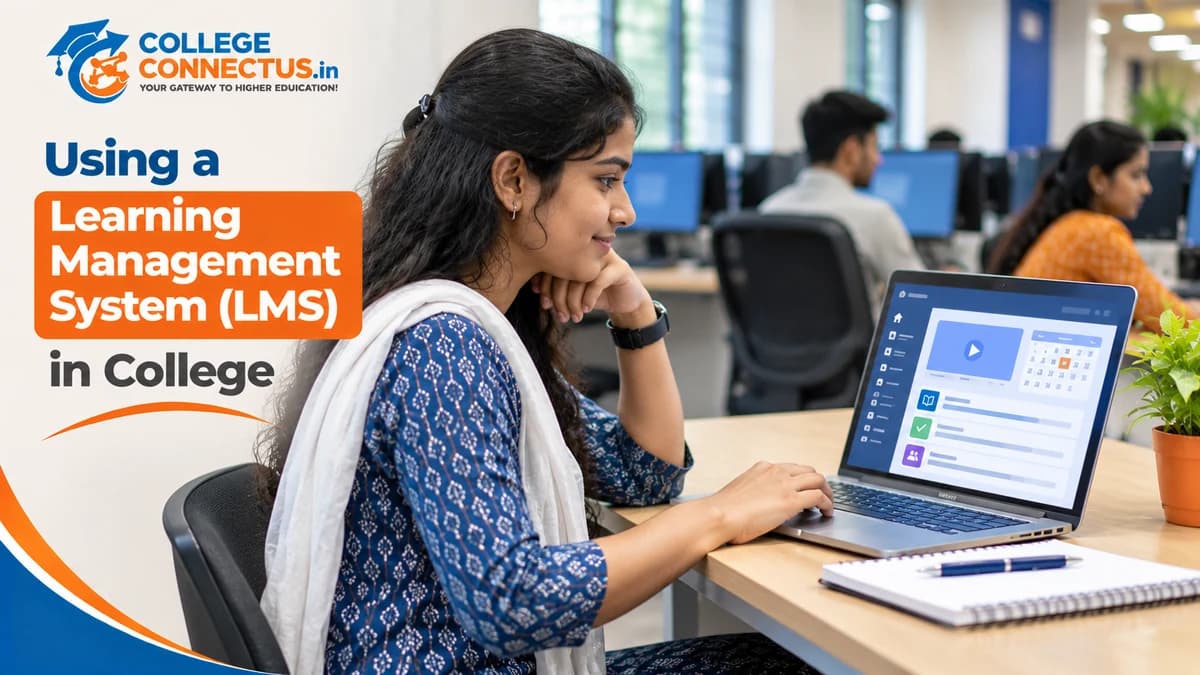
Technology has changed how students access educational resources, communicate with teachers and manage academic activities. Many colleges now use digital platforms to organise course materials, assignments, announcements, assessments and student communication.
One commonly used technology is a Learning Management System, also known as an LMS.
An LMS provides a digital environment where students and faculty members can access and manage different learning activities. Depending on the institution and platform, students may use it to download notes, watch recorded lectures, submit assignments, participate in discussions and check academic updates.
However, simply having access to an LMS does not mean students are using it effectively.
Some students log in only when an assignment is due, while others miss important announcements because they do not check the platform regularly. Learning how to use an LMS properly can make academic activities more organised and easier to manage.
This guide explains what a Learning Management System is, how college students in India can use its features and how to make digital learning more effective.
A Learning Management System is a software platform designed to organise, deliver and manage educational activities.
Colleges, universities, training institutions and educational organisations may use an LMS to support teaching and learning.
An LMS can provide a central location for academic resources and communication.
Depending on the platform, students may be able to:
Access course materials.
Download lecture notes and presentations.
Watch recorded classes.
Submit assignments.
Participate in online discussions.
Complete quizzes and assessments.
Check academic announcements.
View feedback from faculty members.
Monitor course progress.
Access learning resources from different devices.
The exact features depend on the software selected by the institution and how the college configures it.
For example, a college may use an LMS to upload weekly lecture notes, publish assignment deadlines and share examination-related announcements.
Students can log in using their assigned credentials and access the resources made available to them.
An LMS usually connects students, faculty members and academic administrators through a common digital platform.
Although different systems have different interfaces, the general process is similar.
The institution may provide students with login credentials or instructions for creating their accounts.
These details may be shared through the college administration, department or official communication channels.
Teachers or course administrators may upload:
Subject details.
Lecture notes.
Presentations.
Recorded sessions.
Reading materials.
Assignments.
Quizzes.
Course announcements.
Students log in to the platform and access the subjects or courses assigned to their accounts.
They can review available resources and complete academic activities according to the instructions.
If the platform supports assignment submission, students can upload their work before the specified deadline.
The LMS may display submission status or confirmation.
Teachers may review submitted assignments, publish marks and share feedback through the platform.
Some systems also provide progress reports and assessment records.
This process helps organise academic communication in one digital environment.
Understanding the available features can help you use your college LMS more effectively.
LMS Feature | How Students Can Use It |
|---|---|
Dashboard | View important academic information |
Course Materials | Access notes, presentations and learning resources |
Assignment Module | Submit academic work |
Quiz Module | Complete online assessments |
Announcements | Check important academic updates |
Discussion Forums | Participate in subject-related discussions |
Recorded Lectures | Review available classroom sessions |
Gradebook | Check published marks and feedback |
Calendar | Track academic activities and deadlines |
Progress Tracking | Monitor course completion where available |
Not every LMS provides all these features. Check your college's platform to understand which functions are enabled.
Before using the platform, make sure you have the correct login information.
Follow these general steps.
Ask your college, department or faculty member for the official LMS website or application.
Avoid using random links shared through unofficial groups.
Your institution may provide:
Student ID.
Registered email address.
Username.
Temporary password.
Account activation instructions.
Follow the college's official instructions to activate your account.
Open the verified platform and enter your assigned credentials.
If the system asks you to change a temporary password, create a strong password that you do not reuse across unrelated accounts.
Depending on the platform, you may need to check your:
Name.
Student identification number.
Department.
Course.
Semester.
Registered email address.
Contact information.
Report incorrect details to the appropriate college authority.
Once logged in, review the dashboard and identify the important sections.
Find where your courses, assignments, announcements, calendar and academic resources are located.
Spend some time exploring the platform before important deadlines arrive.
One of the most useful LMS features is the ability to access learning materials from a central location.
Instead of searching through different messaging groups or email conversations, you may be able to find subject-related resources within the relevant course section.
Create separate folders on your device for different subjects.
For example:
Semester 1 – Mathematics
Semester 1 – Programming
Semester 1 – Database Management
Semester 1 – Communication Skills
Use clear filenames so you can locate documents quickly.
A practical filename could be:
Database_Management_Unit_02_Lecture_Notes.pdf
Do not wait until examinations to open the resources available on your LMS.
Review newly uploaded notes and presentations after relevant classes.
If a topic is difficult, identify the specific sections that need additional study.
Download permitted learning materials for offline access when the platform allows it.
However, respect your institution's content-sharing rules. Do not redistribute restricted course materials without permission.
You can also explore our guide on how to use digital study resources effectively in college for additional study organisation ideas.
Assignment submission is one of the most important activities on many college learning platforms.
A small mistake during submission may cause unnecessary confusion, particularly when deadlines are close.
Follow these steps.
Before starting, check:
Assignment topic.
Submission deadline.
Required file format.
Maximum file size.
Formatting requirements.
Submission method.
Any additional instructions.
Complete the assignment according to the instructions.
Use a clear document structure with appropriate headings, references and supporting information where required.
Use a meaningful filename.
For example:
StudentName_RollNumber_Subject_Assignment01.pdf
Follow the naming format specified by your college if one is provided.
Open the assignment section, select the correct file and follow the submission instructions.
Before confirming, verify that you selected the final version rather than an incomplete draft.
After uploading, check whether the platform displays a successful submission status.
If available, save the submission receipt or confirmation.
If the upload fails, take note of the error and contact your faculty member or LMS support team promptly.
Do not assume that selecting a file automatically means it has been submitted successfully.
Students often manage multiple academic responsibilities at the same time.
These may include:
Assignments.
Internal assessments.
Practical sessions.
Online quizzes.
Project submissions.
Examination schedules.
Course activities.
If your LMS provides a calendar, use it to track these activities.
At the beginning of each week, check your platform for upcoming deadlines.
Record important dates in your preferred calendar or planner.
You can organise tasks using three simple categories:
Priority | Example |
|---|---|
High | Assignment due tomorrow |
Medium | Quiz scheduled later this week |
Low | Reading material for next month's topic |
This helps you identify which tasks require immediate attention.
Try to complete assignments before their official deadlines.
Submitting early gives you time to check your file, correct mistakes and resolve technical issues.
For more planning techniques, read our guide on how to manage time effectively in college.
Some LMS platforms provide discussion forums where students and faculty members can communicate about academic topics.
These discussions can support learning outside regular classroom sessions.
If you do not understand a topic, use the available discussion feature when permitted.
Write clear questions that explain what you have already understood and where you need help.
For example:
Instead of writing, "I don't understand this chapter," you could ask:
"Could you explain the difference between primary keys and foreign keys with a practical database example?"
Specific questions are easier to answer.
When responding to classmates:
Stay relevant to the topic.
Use respectful language.
Explain your reasoning.
Avoid posting unrelated content.
Follow the discussion rules set by faculty members.
If a faculty member provides feedback on an assignment or discussion, review it carefully.
Identify what you did well and what needs improvement.
Do not focus only on marks. Feedback can help you understand how to improve your academic work.
Some institutions provide recorded lectures and online assessments through their LMS.
These features can support independent learning.
If recordings are available, use them to revise topics covered in class.
You can:
Identify the topic you want to revise.
Watch the relevant lecture.
Write down important concepts.
Note questions that require clarification.
Review the corresponding study material.
Avoid treating recorded lectures as a complete replacement for classroom participation when attendance or live interaction is required.
Before starting a quiz, read the instructions.
Check:
Assessment duration.
Number of questions.
Available attempts.
Submission rules.
Whether the assessment is timed.
Follow your college's academic integrity rules and complete assessments independently unless collaboration is explicitly permitted.
If marks or feedback are available, use them to identify topics that need further revision.
A quiz is not just an assessment. It can also help you understand your progress.
Many LMS platforms provide mobile-friendly websites or dedicated applications.
This can help students access learning resources while travelling or away from their computers.
Before installing an application:
Check whether your college officially supports it.
Verify the application publisher.
Download it through a trusted application store or official institution link.
Review the permissions it requests.
Avoid sharing login credentials with others.
You can use your phone to:
Check academic announcements.
Review upcoming deadlines.
Access permitted course materials.
Receive notifications.
Check assignment status.
Participate in supported discussions.
For longer assignments, document editing or detailed academic work, a laptop or desktop may be more convenient.
Keep your device updated and use a screen lock to protect your account.
Students may sometimes experience technical difficulties while accessing their college LMS.
Understanding common problems can help you respond appropriately.
Problem | Possible Action |
|---|---|
Incorrect login credentials | Recheck the username and password or use the official reset process |
Forgotten password | Follow the platform's password recovery instructions |
Page not loading | Check your internet connection and try again |
Assignment upload failure | Verify file size, format and connection |
Course not visible | Contact your department or LMS administrator |
Missing announcement | Check the correct course section and notification settings |
Application not working | Update the application or try the official web version |
Incorrect academic information | Report the issue to the college administration |
If an assignment upload fails near a deadline:
Check your internet connection.
Confirm the permitted file type and size.
Try again using the official platform.
Capture the error message for reference.
Contact the faculty member or official support team.
Follow the institution's instructions for documenting the issue.
Keep your original assignment file and any relevant submission evidence.
Your LMS account may contain academic records, personal details and communication with faculty members.
Protecting it is important.
Follow these basic security practices.
Create a password that is difficult to guess.
Avoid using obvious personal information or the same password across multiple services.
Your account is intended for your own academic use.
Avoid giving your password to classmates or unknown individuals.
Access your college LMS through its verified website or official application.
Do not enter your credentials into unfamiliar login pages received through unsolicited messages.
If you use a computer in a college laboratory or shared facility, log out after completing your work.
Do not save your password on public or shared computers.
If you notice unfamiliar account activity or unauthorised changes, contact the college's LMS administrator or IT support team.
For additional guidance, read our article on online safety for college students in India.
Even when students have access to an LMS, they may not use it effectively.
Avoid these common mistakes.
Important announcements and assignment details may be published throughout the semester.
Check the platform regularly rather than waiting until examinations.
Some LMS platforms provide email or application notifications.
Review the notification settings and make sure important academic updates are not being missed.
Always check the filename and final document before confirming submission.
Feedback can help you identify mistakes and improve your academic performance.
Read it carefully rather than checking only the marks.
An LMS may provide additional learning features such as discussions, quizzes, recorded sessions and progress reports.
Explore the available functions instead of using only one section.
Sharing passwords can create privacy and academic record issues.
Keep your account secure and report access problems through official channels.
A simple routine can help you stay organised throughout the semester.
When | Suggested Activity |
|---|---|
Monday | Check announcements and weekly academic tasks |
Tuesday | Download or review newly uploaded study materials |
Wednesday | Check assignment progress and upcoming deadlines |
Thursday | Participate in discussions or complete learning activities |
Friday | Review assessment results and faculty feedback |
Saturday | Organise study materials and revise difficult topics |
Sunday | Check the next week's academic schedule |
Adjust this routine according to your college timetable and the features available on your LMS.
The objective is not to spend unnecessary time online. It is to use the platform consistently for relevant academic activities.
A Learning Management System can make college learning more organised by bringing course materials, assignments, announcements and academic communication into one digital environment.
However, its usefulness depends on how effectively students use the available features.
Start by understanding your college's LMS, exploring the dashboard, organising study materials and tracking important deadlines. Submit assignments carefully, review faculty feedback and protect your login credentials.
Remember that an LMS supports your learning; it does not replace regular study, classroom participation or independent effort.
Develop a simple routine for checking your academic activities and make use of the resources provided by your institution.
Explore College Connect Us for more practical guides on educational technology, digital learning, college life and career development.
An LMS, or Learning Management System, is a digital platform used by educational institutions to organise learning activities. Students may use it to access course materials, submit assignments, participate in discussions and check academic announcements.
Colleges use LMS platforms to manage course content, academic communication, assignments, assessments and learning resources. The features available depend on the institution's selected software.
Use the official LMS link provided by your college and enter your assigned student credentials. If you have not received login details, contact your department or institution's IT support team.
Many LMS platforms support online assignment submissions. Follow the instructions for file format, size and deadline, then check whether the platform confirms successful submission.
Many LMS platforms support mobile browsers or dedicated applications. Check your college's official instructions before installing an application or entering your credentials.
Use the platform's official password recovery process. If that does not work, contact the college's LMS administrator or IT support team.
Yes. When available, course notes, presentations, recorded lectures, quizzes and faculty feedback can support revision and preparation. They should be used alongside classroom learning and independent study.
Security depends on the platform, institutional configuration and user practices. Use a strong password, avoid sharing credentials, log out of shared devices and report suspicious activity.
Some systems allow authorised faculty members or administrators to view activity such as course access, assignment submissions and assessment participation. The exact tracking features depend on the platform and institution's policies.
The terms are related, but they are not always identical. An LMS is generally designed to manage learning activities and course administration, while an online learning platform may also provide educational content directly to independent learners.
Explore expert articles, admission guides, career tips, education news, exam preparation, and everything you need to make informed academic decisions.