
College Connect
Preparing your experience...
Preparing your experience...

Need help? 👋
We're here to help you
Looking for the right college, course or admission guidance? Choose an option below.
An entrance exam admit card is an essential document for appearing in an examination. This guide explains how to download your hall ticket, verify personal and exam details, troubleshoot common issues and prepare the documents required for exam day.
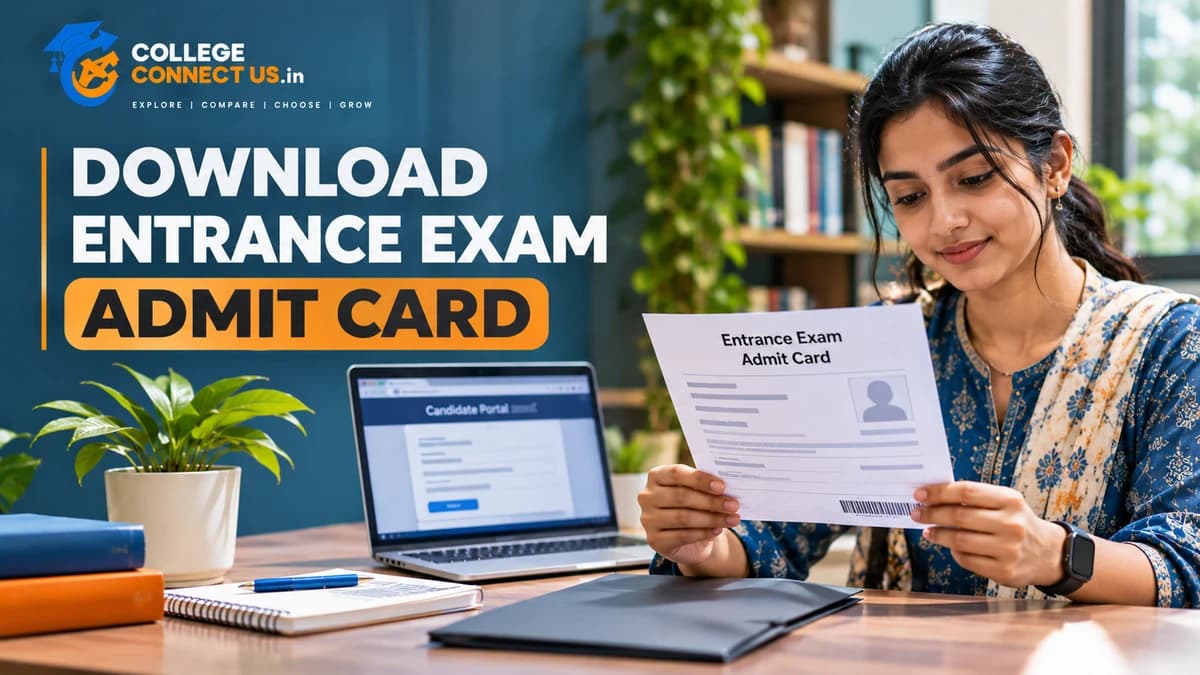
Preparing for an entrance examination involves more than studying the syllabus and revising important topics. Students must also complete the required examination formalities, including downloading their admit cards and checking the details printed on them.
An entrance exam admit card, also called a hall ticket in many examinations, contains important information such as the candidate's name, examination details, date, reporting instructions and examination centre information, depending on the exam authority.
Without the required admit card or an accepted alternative specified by the examination authority, candidates may not be allowed to enter the examination centre. Therefore, downloading and checking this document well before exam day is an important part of exam preparation.
In this guide, you will learn how to download an entrance exam admit card in India, which details to verify, how to handle common download problems and what to prepare before leaving for the examination.
An entrance exam admit card is an official document issued by the organisation conducting an examination. It confirms that a candidate has been issued an examination document for a particular test, subject to the examination authority's rules.
Depending on the examination, an admit card may include:
Candidate's name and photograph
Application or registration number
Roll number or examination number
Examination name
Examination date and shift
Reporting time and gate-closing time, where applicable
Examination centre name and address
Candidate's signature or other identification details
Instructions for entering and completing the examination
The exact information varies by examination. Some authorities may issue additional documents or separate instructions, so candidates should always read the official notice associated with their examination.
An admit card should not be confused with an application confirmation or fee-payment receipt. These documents serve different purposes and may not be accepted in place of the hall ticket.
The download process differs between examination authorities, but most online systems follow a similar sequence.
Start by visiting the official website of the organisation conducting your examination. Locate the examination-specific section, candidate portal or admit-card announcement.
Avoid relying on unverified download pages or advertisements. A page that asks for unnecessary personal information or payment to download an admit card should be treated cautiously.
Before entering your details, confirm that the website belongs to the correct examination authority and that the notice applies to your examination session.
Look for a notice labelled with terms such as:
Admit Card
Download Hall Ticket
Candidate Login
Examination Portal
E-Admit Card
Check the examination name, year, session and relevant announcement date. Similar examinations may have separate portals or different release schedules.
Do not assume that the admit card is available merely because an examination date has been announced. The authority may release the document separately.
Select the relevant admit-card link. The portal may ask you to enter one or more details, such as:
Application number
Registration number
Date of birth
Password
Security code or CAPTCHA
The exact requirements depend on the examination authority.
Enter your information carefully. Check that you have selected the correct examination and session before submitting the form.
After successful login, look for the option to view, download or print the admit card.
If the portal displays your document, check that the examination details correspond to your application. Do not immediately close the page or assume that the process is complete.
If the portal reports that your admit card is unavailable, read the accompanying notice. The document may not yet have been released, or your application may require further attention.
If a PDF is available, download it to your computer or phone.
Use a clear filename, such as:
Entrance-Exam-Admit-Card.pdf
Save a backup in a secure location that you can access later. If you use cloud storage or email for backup, ensure that your account is protected and avoid sharing documents containing personal information publicly.
Open the downloaded file to confirm that it loads correctly and that all pages are present.
Read the examination authority's instructions to determine whether a printed copy is mandatory.
If a printout is required, use a clear, legible copy. Make sure the photograph, identification details, barcode or QR code, where applicable, and instructions are readable.
Do not crop, edit or alter the admit card. If a correction is needed, contact the examination authority through its official process rather than changing the document yourself.
Downloading the document is only the first step. You should also verify the information printed on it.
Check your name against your application and the identification documents accepted by the examination authority.
Review other personal details, including your date of birth or category, if displayed. If you notice a discrepancy, consult the official correction procedure or contact the examination authority.
Do not assume that a spelling error or other mismatch will automatically be accepted at the examination centre.
Check whether the photograph and signature are visible and correspond to your application.
If an image is missing, unclear or incorrect, read the official instructions about resolving the issue. Do not modify the document yourself.
Verify the application or registration number and roll number, where provided.
Keep these details accessible because they may be needed when communicating with the examination authority or checking examination-related notices.
Confirm the examination date, shift and reporting time.
Candidates appearing for different sessions of the same examination may receive different schedules. Never rely only on information shared by friends or circulated through social media.
If the examination authority publishes a revised schedule, follow the latest applicable official instructions.
Read the complete examination centre address printed on your admit card.
Check the location in advance and estimate how long the journey may take. If the centre is unfamiliar, plan your route and transport arrangements before exam day.
Do not assume that the centre will be the same as the one used in a previous examination or mock test.
Read the instructions printed on the admit card and in any accompanying official notice.
Pay attention to:
Permitted identification documents
Reporting and entry times
Rules about electronic devices
Restrictions on personal belongings
Photograph or stationery requirements
Dress-code instructions, if applicable
Special instructions for candidates who have approved accommodations
Requirements vary by examination. Follow the instructions for your specific test rather than relying on a general checklist alone.
An admit card download problem can occur for several reasons. The correct response depends on the message shown by the portal.
The examination authority may not have released the document yet, or the link may be listed under a different section.
What to do:
Check the latest official examination notice.
Confirm the announced release date, if one is provided.
Make sure you are visiting the correct examination portal.
Check again according to the official schedule.
Avoid paying third-party websites that claim they can provide early access to an unreleased admit card.
A typing error or incorrect login detail may prevent access.
What to do:
Recheck your application or registration number.
Confirm that you are using the correct password or date-of-birth format.
Review your application confirmation for the original details.
Use the official password-recovery process if necessary.
Never share your password or one-time password with an unknown person offering to retrieve your document.
High traffic around the release date may make a candidate portal temporarily slow or unavailable.
What to do:
Wait briefly before trying again.
Check your internet connection.
Try a supported browser or another device.
If the authority announces maintenance, follow its guidance.
Avoid repeatedly submitting login requests if the portal is displaying an error.
If the issue continues, check the official helpdesk or contact details provided by the examination authority.
The file may not have downloaded completely, or your device may not support the file format properly.
What to do:
Check whether the file has finished downloading.
Download it again from the official portal.
Open it with a trusted PDF reader.
Confirm that the file is saved with the expected PDF extension.
Do not upload your admit card to unknown websites just to repair or convert the file.
A mismatch in the name, photograph, examination details or other information should be addressed promptly.
What to do:
Read the examination authority's correction instructions.
Contact the official helpdesk using the contact details published by the authority.
Keep your application confirmation and relevant supporting documents available.
Save any official response or complaint reference number.
Do not assume that you can correct the information yourself or that a centre supervisor will automatically permit the discrepancy.
If you cannot access your admit card and the portal shows an incomplete, pending or otherwise unclear application status, review the application requirements and official notices.
Check whether the authority has published specific instructions for candidates facing this issue. If necessary, contact the official helpdesk before the examination date.
Do not submit another application or make an additional payment unless the examination authority explicitly instructs you to do so.
The documents required for entry depend on the examination. Read your admit card and the latest official instructions before preparing your exam-day folder.
Depending on the examination, you may need:
A printed admit card, if required
An original, valid photo identification document from the authority's accepted list
A passport-sized photograph, if specifically required
Additional declarations, certificates or forms mentioned in the instructions
Approved documents for special accommodations, where applicable
Do not assume that every examination accepts the same identification documents. Check the permitted options for your specific test.
Keep your documents organised the night before the examination. If the authority requires an original identification document, a photograph or a printed declaration, prepare it in advance rather than looking for it on exam morning.
Use this checklist to reduce avoidable last-minute confusion.
Before the examination:
Download the admit card from the official portal.
Verify your name, photograph and examination details.
Read the complete instructions.
Confirm the centre address and reporting time.
Check which identification documents are accepted.
Arrange transport and allow sufficient travel time.
Prepare any required printouts and permitted stationery.
Save the official helpline or helpdesk details.
On the day of the examination:
Leave with enough time to reach the centre.
Carry the documents required by the authority.
Follow the centre's security and entry instructions.
Keep your phone and other restricted belongings according to the authority's rules.
Listen carefully to instructions from authorised examination staff.
The purpose of this checklist is to help you prepare. Your examination authority's instructions always take priority over general advice.
Once your admit card is available and the details are correct, return your attention to exam preparation.
First, review the syllabus and identify the topics that need further revision. Avoid making major changes to your study plan at the last minute unless there is a clear reason to do so.
Second, practise questions in a format similar to your examination. Mock tests can help you understand timing, question types and the importance of following examination instructions.
Third, make sure you understand the rules for your examination. For computer-based tests, review the official instructions about the testing process. For other formats, check the permitted materials and procedures.
Finally, keep the night before the examination as organised as possible. Prepare your documents, confirm your travel arrangements and give yourself sufficient time to rest.
An entrance examination may be one step in the college admission process, but it is not necessarily the final step.
Depending on the course and institution, candidates may also need to meet eligibility requirements, register for counselling, submit their preferences, participate in seat allotment or complete document verification.
To understand how admission decisions can depend on more than an examination result, read our guide to college admission counselling in India. This link is to our previously verified engineering college guide; it is relevant for understanding college selection, but it is not a dedicated counselling-process article.
Before applying to a course, review the eligibility requirements carefully. Our guide on college eligibility criteria in India explains why students should check the requirements associated with their intended course.
You can also use our guide to choosing the right college course after Class 12 to think about course options, eligibility, fees and career direction.
Remember that qualifying for an entrance examination does not automatically guarantee admission to a particular college. Final admission depends on the applicable eligibility rules, seat availability, selection process and the institution's official requirements.
Download it from the official website or candidate portal of the organisation conducting your examination. Follow the instructions in the relevant admit-card notification.
Download it as soon as the examination authority releases it and the link is available to you. This gives you time to check the details and resolve potential problems before exam day.
This depends on the examination authority's rules. If a printed copy is required, a digital copy alone may not be accepted. Follow the instructions printed on your admit card and in the official examination notice.
If the candidate portal still allows access, download the document again from the official website. If you cannot retrieve it, contact the examination authority through its official support process.
Contact the examination authority promptly and follow its correction procedure. Do not edit the document yourself or assume that the discrepancy will be accepted without confirmation.
No. An application confirmation generally records that an application was submitted or received. An admit card is a separate examination document. Carry the document specified by the examination authority.
Entry depends on the examination authority's rules, and candidates may be denied entry if they do not have the required documents. Review the instructions and contact the official helpdesk if an unexpected problem occurs.
No. An admit card generally allows an eligible candidate to attend the examination under the authority's rules. Admission may depend on examination performance, eligibility, counselling, seat availability and other requirements.
Downloading your entrance exam admit card is a small but essential part of preparing for an examination. Use the official portal, save the document securely, check every important detail and resolve discrepancies through the examination authority's official process.
Do not wait until the last moment to review your admit card or organise your documents. A little preparation can help you avoid preventable administrative problems and focus on the examination itself.
After the examination, keep track of the official result announcements and any subsequent admission or counselling requirements relevant to your course. Plan each stage carefully, and use official information to guide your decisions.
Explore expert articles, admission guides, career tips, education news, exam preparation, and everything you need to make informed academic decisions.